Point of sale · Stock · Accounts · Clinic
Software that runs your shop - even when the internet doesn't.
Alpha handles billing, batches and expiry dates, credit customers, suppliers and profit for pharmacies, retail shops, wholesalers and clinics. It runs on your own PC, so it stays fast and your records stay yours.
- Windows 10 & 11
- Works without internet
- Your data stays on your PC
- English & Urdu screens
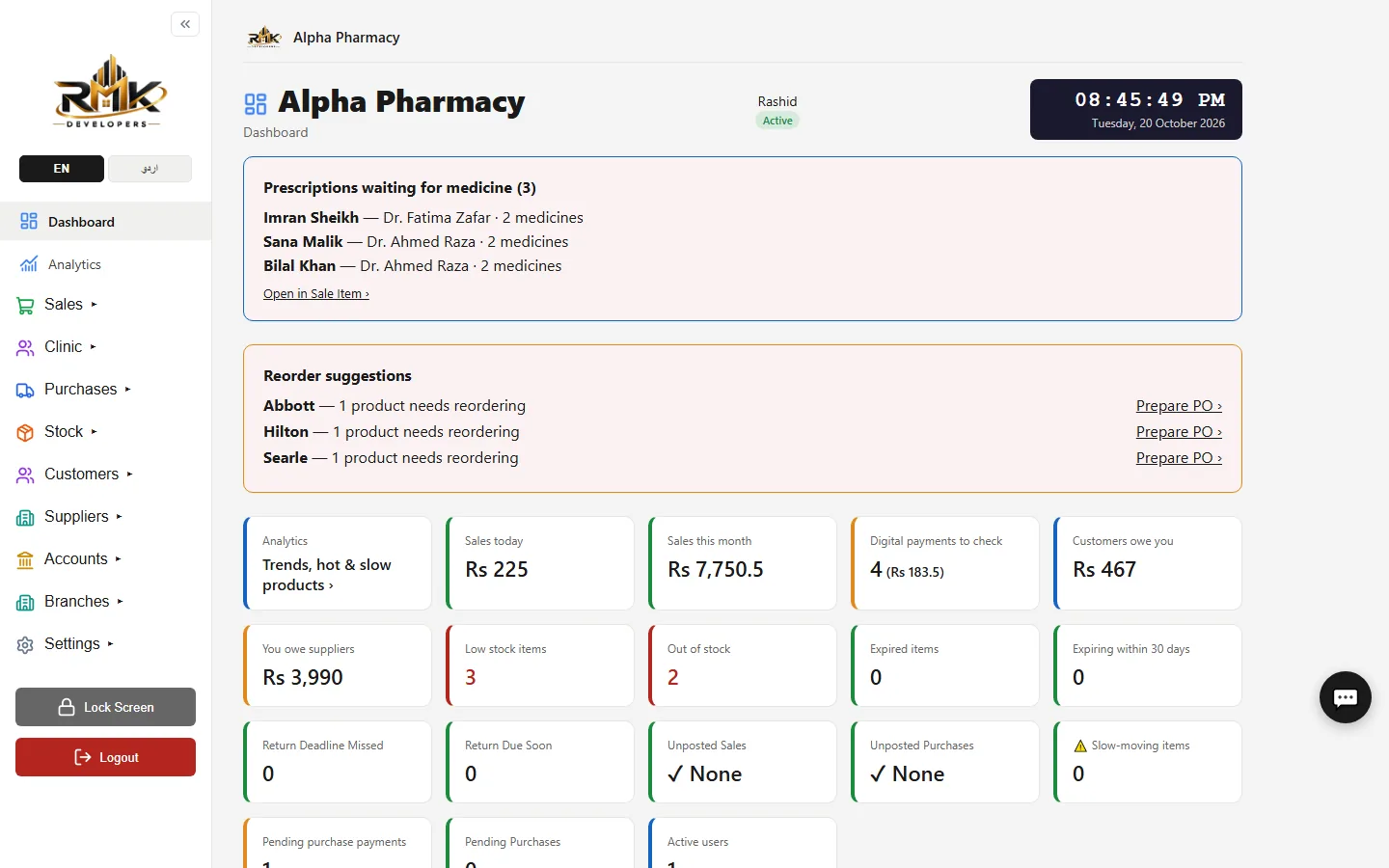
Built for
- Pharmacies
- Marts & kiryana
- Wholesalers
- Clinics
Everything in one program
From the first sale of the day to the month's profit
No add-ons to buy and no separate programs to join together. Alpha covers the counter, the stock room and the accounts.
Fast billing
Barcode gun or phone scanner, schemes and discounts applied by themselves, held bills, returns and receipts. A bill is saved in 0.03 seconds.
Stock you can trust
Batch numbers and expiry dates, low-stock and expiring-soon alerts, reorder suggestions grouped by company, stock transfers between branches.
Credit & payments
Customer and supplier ledgers, payments linked to bills, who-owes-what and aging, cheques, and a check of every JazzCash, card or bank payment.
Reports that show profit
Profit and loss, sales, purchases, tax and stock valuation, exported to Excel or PDF - quick even on years of records.
Staff under control
Owner, Manager and Cashier roles, an activity log of who did what, and Active Sessions with one-click "log out all devices".
Looks after itself
Nightly encrypted backups, a daily health check that repairs known problems, and protection against changed or missing program files.
At the counter
A sale in seconds, without mistakes
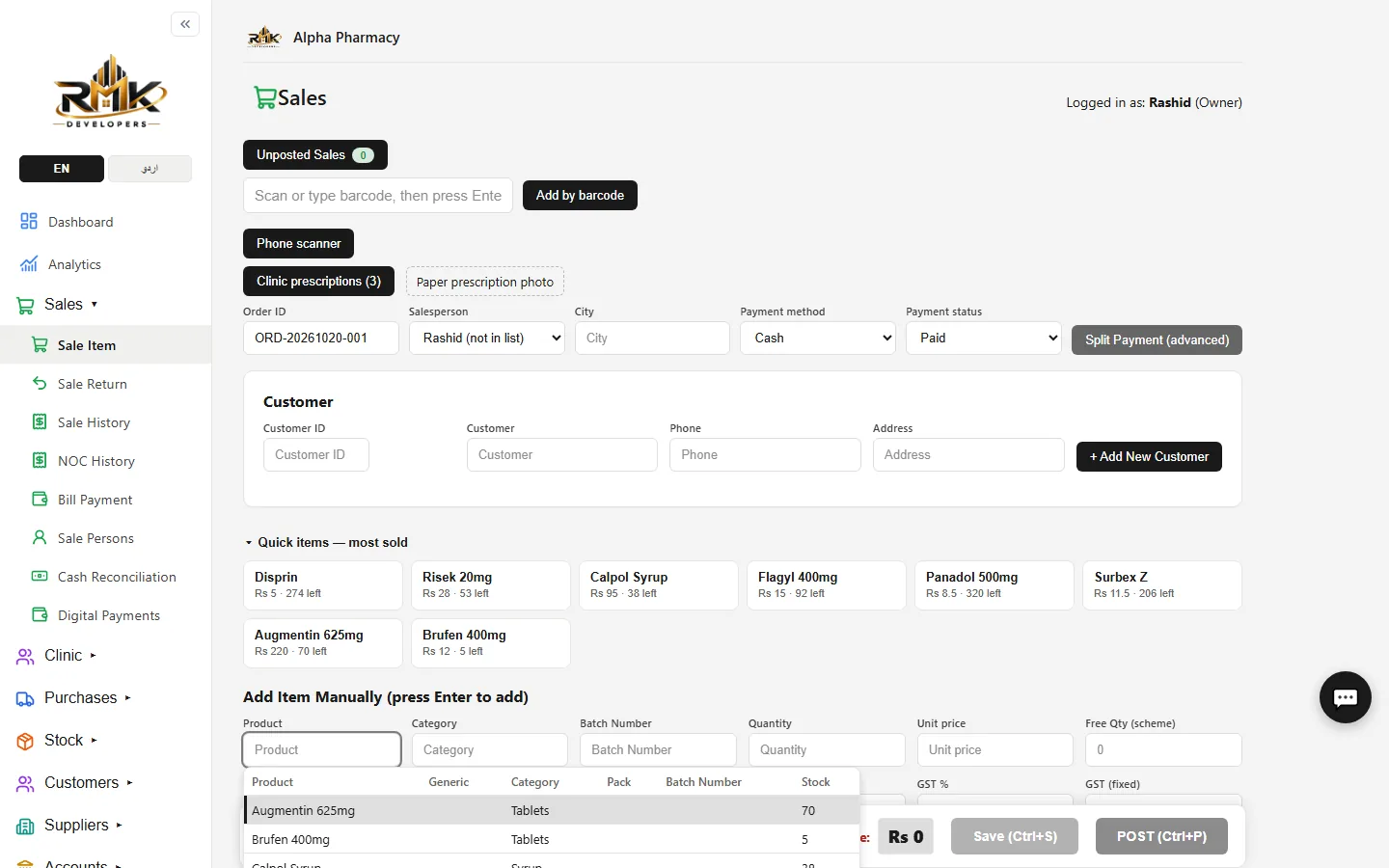
Scan with a barcode gun or the free Alpha Scanner phone app, or type two letters of a name. Alpha fills the price, applies the scheme (buy 10, get 2 free), and warns before selling an expired batch.
- Cash, card, JazzCash, EasyPaisa, bank or credit - or several in one bill
- Hold a bill, save it unposted, post it later (Ctrl+P)
- Bills in English or Urdu, on thermal or A4 paper
- FBR POS invoicing for Pakistan
In the stock room
Know what to reorder, and what is about to expire
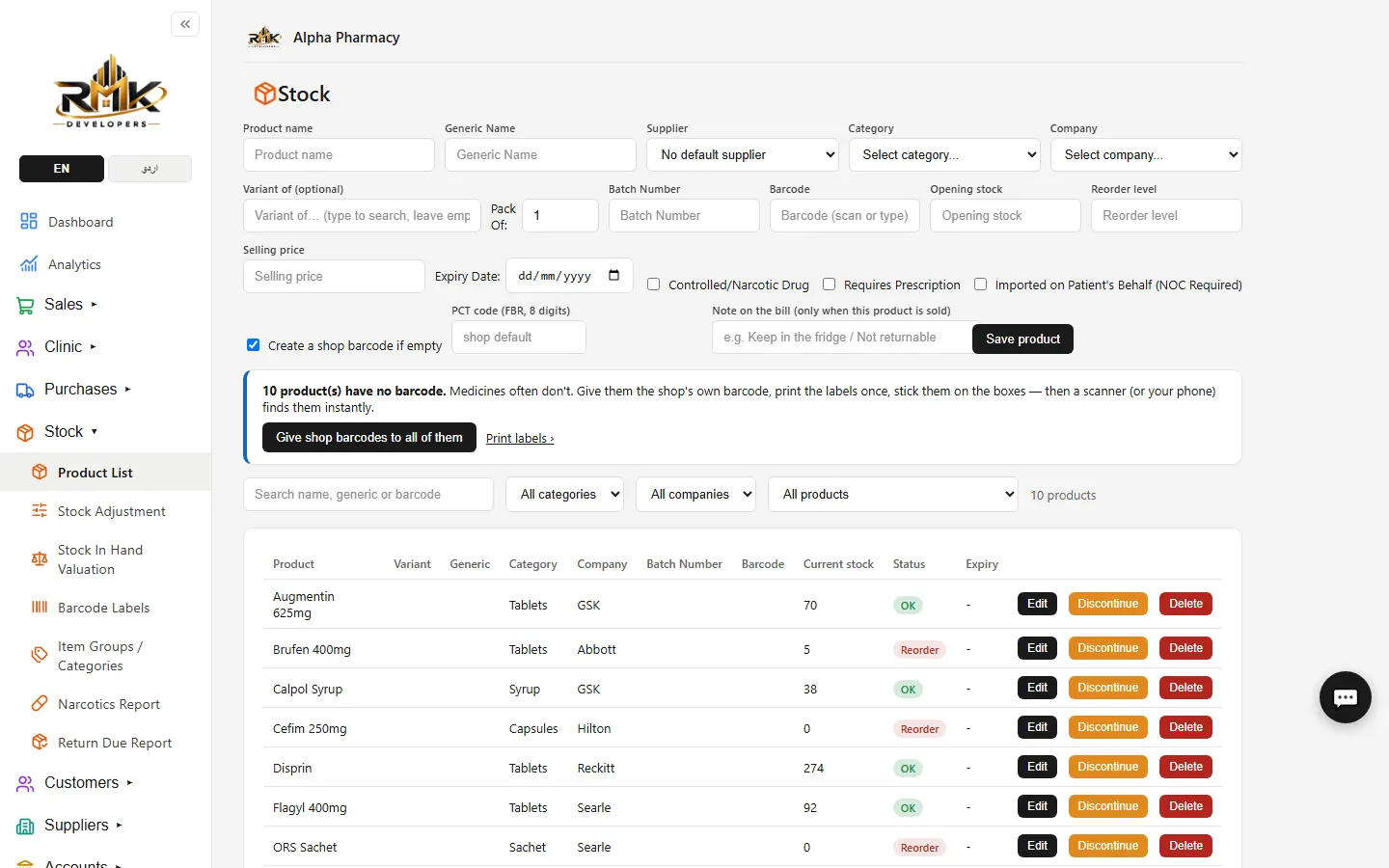
Every purchase records the batch, expiry date, bonus quantity and cost. Alpha tells you what is running low, what is slow-moving and what must go back to the supplier before its return deadline.
- Purchase entry that can be checked like the distributor's invoice (VIEW)
- Return-due and expiry reports, per company return windows
- Stock valuation and slow-moving items
- Purchase orders straight from reorder suggestions
In the office
The numbers the owner actually needs
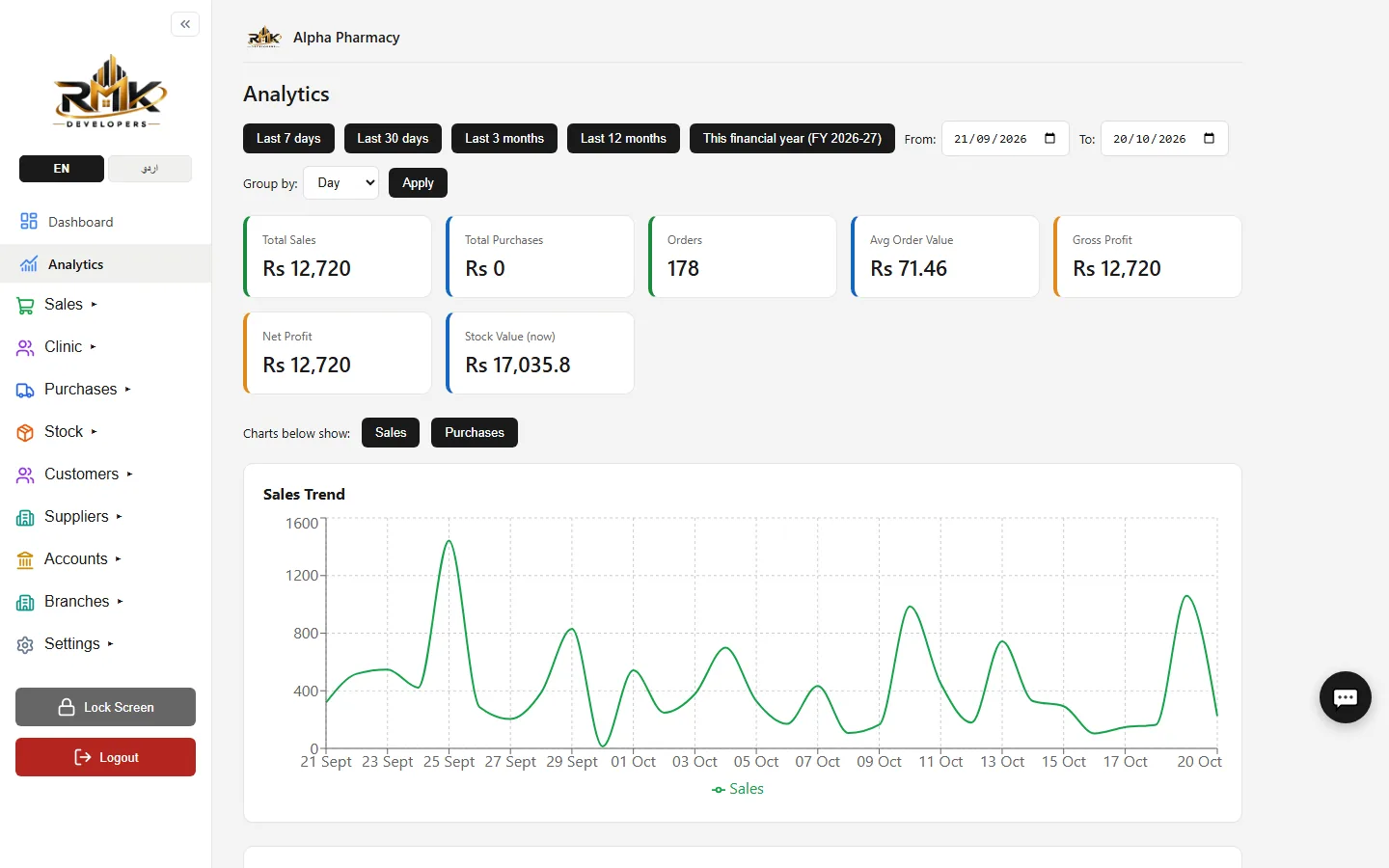
See today's sales, this month's profit, what customers owe you and what you owe suppliers - at a glance on the Dashboard, in detail in the reports, and on your phone if you switch on owner alerts.
- Trends, best sellers and slow sellers
- Daily sales summary on Telegram or WhatsApp
- Day-end cash reconciliation
- Reports with a code that proves they were not edited
Your data, your PC
Built to keep a shop's records safe
Alpha does not depend on a server somewhere else. Everything is on your computer - and protected there.
Works offline
Billing, stock and reports need no internet. A slow or broken connection never stops the counter.
Automatic backups
A backup every night, optionally encrypted with your own password, with a copy to a USB drive or your own cloud folder.
Logins that can be ended
Every login is a session. End one, or all of them, at any time - and get an alert when someone signs in from a new device.
Made for your business
One program, set up for the way you work
Pharmacy software
Batches and expiry, prescriptions, controlled-medicine register, return deadlines, distributor schemes.
Retail & wholesale POS
Fast barcode billing, credit customers, wholesale and retail rates, multi-counter and multi-branch.
Clinic software
Patients, appointments, consultations, prescriptions and fees - alone or together with your pharmacy.
Custom software
Your own reports, fields and modules built into Alpha - kept through every update, for your licence only.
Questions
Frequently asked
Does Alpha need the internet?
No. Alpha runs on your own Windows PC with its own private database, so billing, stock and reports keep working when the internet is down. The internet is only used for optional things: updates, e-mailed reports, cloud backup copies and alerts on your phone.
Where is my data kept? Can RMK Developers see it?
Your data stays in a private database on your own computer. It is never uploaded to us. Automatic nightly backups (optionally password-encrypted) are made on your PC, and you can copy them to a USB drive or a cloud folder of your own.
Which businesses is Alpha for?
Pharmacies and medical stores, general stores, marts and kiryana shops, wholesalers and distributors, and doctors’ clinics. A pharmacy can run its clinic in the same program.
Can more than one counter use it?
Yes. One PC is the main computer; other PCs and phones on the same Wi-Fi or network connect to it and work on the same stock at the same time. Your licence sets how many devices can be used.
What do I need to run it?
A computer with Windows 10 or 11. A barcode scanner, receipt printer and label printer are optional - you can also scan with your Android phone using the free Alpha Scanner app.
See Alpha on your own counter
Message us on WhatsApp: we send the installer, help you set it up over a screen share and import your products from Excel. Every plan has a 7-day money-back guarantee.